
Payment Errors
Underpayments, overpayments, and refunds — handled clearly.
Three scenarios at a glance
Pick one to jump to its detailVocabulary
Shared definitions- Invoice
A payment instance — the total requested, plus optional metadata like items, quantities, and descriptions.
- Underpayment
A payment smaller than the invoice total. A common cause: the buyer forgot to include the on-chain network fee on top of the displayed crypto amount.
- Overpayment
A payment larger than the invoice total. The invoice completes; the excess kicks off an automatic refund — unless the excess is smaller than network fees.
- Payment Timeout
The 60-minute exchange-rate lock on a checkout. After it expires, the invoice is timedOut and late funds trigger the automatic refund flow. Payment Timeout has the full lifecycle.
Automatic refunds
When CoinPayments returns funds to the buyer- The buyer sent more than the invoice total (overpayment).
- The buyer underpaid and the payment timeout has expired.
- Funds arrived after the timeout, or arrived in-window but didn't confirm in time.
Network fees set the refund floor
A refund won't be issued if the excess (for an overpayment) is smaller than the network fee required to send it on-chain. The dust would be consumed entirely by the broadcast cost.
Claiming a refund
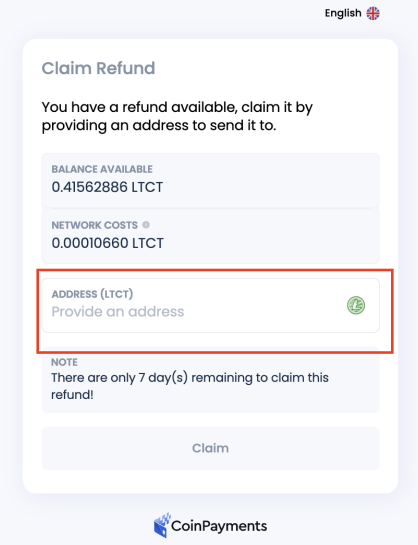
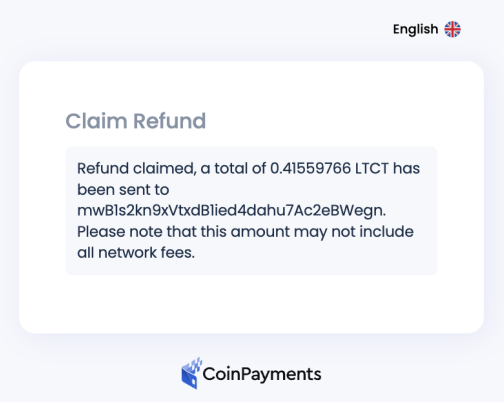
What the buyer goes through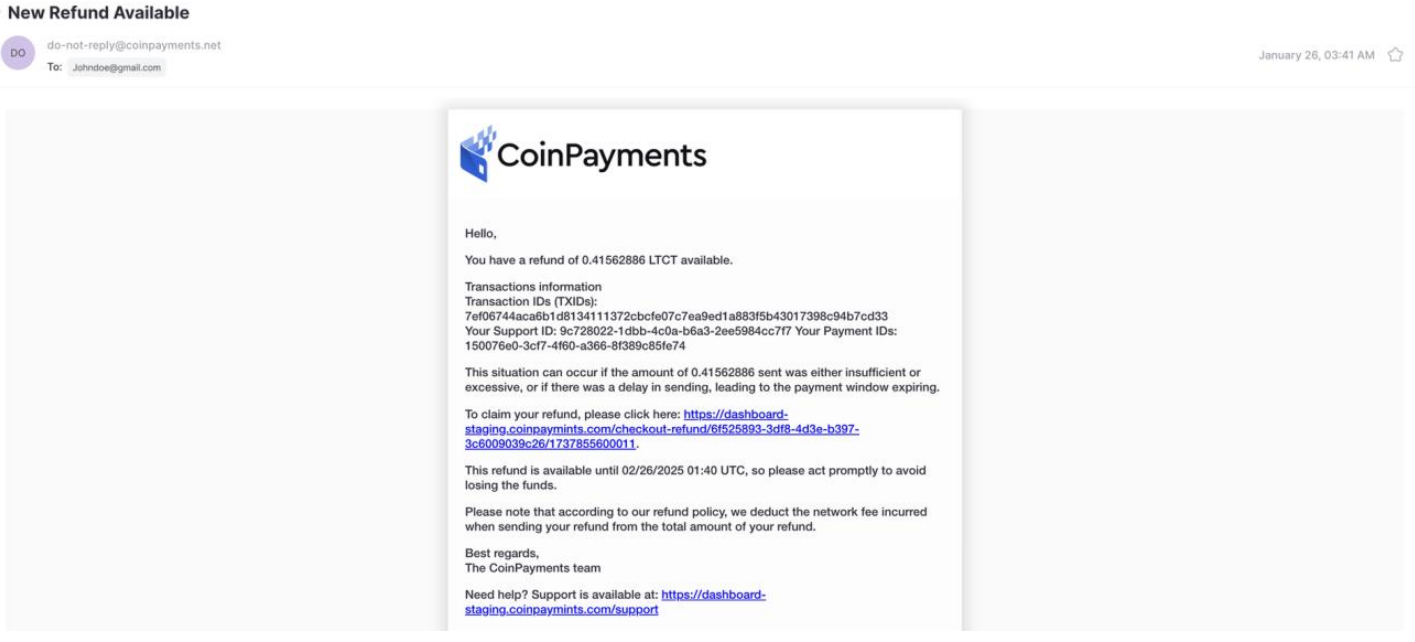
Network fees deducted from the refund
Refunds are subject to the chain's standard transaction fee, which is deducted from the refunded amount before it's sent. The buyer receives the excess minus that fee.
Underpayments
The buyer sent less than the invoice total
Merchant resolution
Two ways to accept what arrivedAuto-accept underpaid invoices that fall within a tolerance you set. Useful when you'd rather take a slight short-pay than lose the sale entirely.

One-off acceptance — leave the tolerance setting at zero and approve specific underpayments by hand from the dashboard.
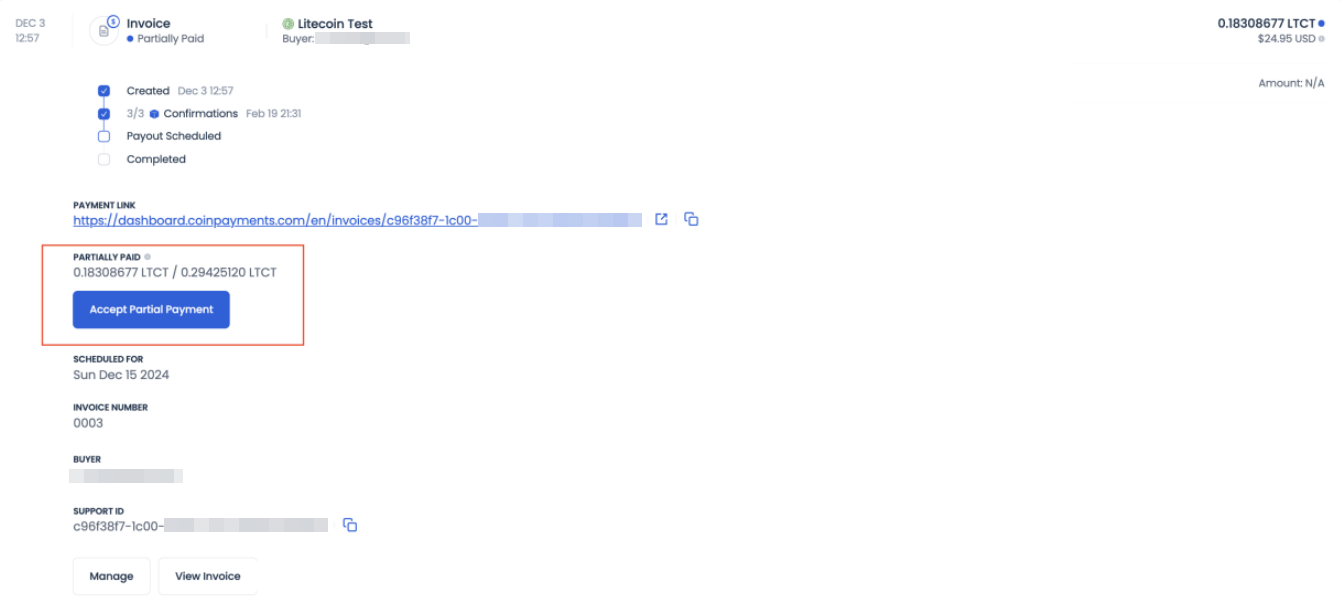
If both limit fields are set, the smaller wins
Configuring both a fixed amount and a percentage tolerance is fine — when an underpayment arrives, CoinPayments enforces whichever value is smaller in crypto-equivalent terms.
Client resolution
The buyer's options when underpayment isn't accepted- Ask the merchant to accept the short payment
A direct ask. If the merchant agrees, they accept the partial payment from the dashboard.
- Pay the remaining balance
The buyer can top up by reviewing the checkout window and sending the remainder in the same cryptocurrency. Switching currencies forces sending the full new amount and refunding the original — keep to the same chain.
- Accept the automatic refund
If the invoice ends up unpaid, the auto-refund flow returns the funds via the standard claim email.
Overpayments
The buyer sent more than the invoice totalWhen the buyer overpays, the invoice still completes and you receive exactly the requested amount in your merchant balance. The excess is routed into the automatic refund flow on the buyer's side — they receive the standard "New Refund Available" email and claim it the same way as any other refund.
See the refund claim flow for the buyer-side steps.
Where to next?
Pick the most useful next step.