
Onboarding
Get onboarded with CoinPayments.
The Onboarding team will support you as a new merchant in verifying your legal entity, enabling additional payment features, and finalizing your account details.
- Completing compliance and verification requirements
- Enabling additional payment features requiring verification
- Ongoing monitoring to ensure compliance
Telegram Group Integration
4 stepsCreate a new Telegram group named after your business, e.g. Company x CoinPayments – Onboarding.
Invite the bot below into the group as a member:
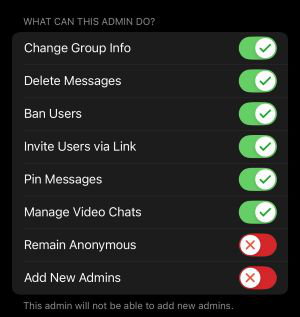
Promote the bot to administrator with the exact permissions shown below — missing or restricted permissions will break the integration.
Post a message to the bot containing:
- Brand name of your company
- Legal entity (if different)
- First name
- Last name
- Email associated with your account
- What you need help with
Slack Connect Integration
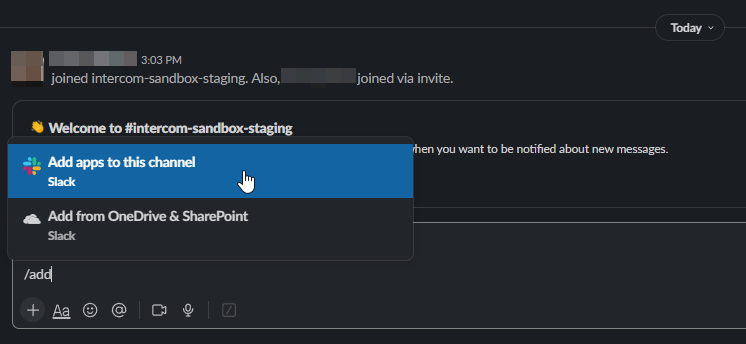
4 stepsRun /add inside your Slack channel. You'll be prompted to install an application to the current channel.
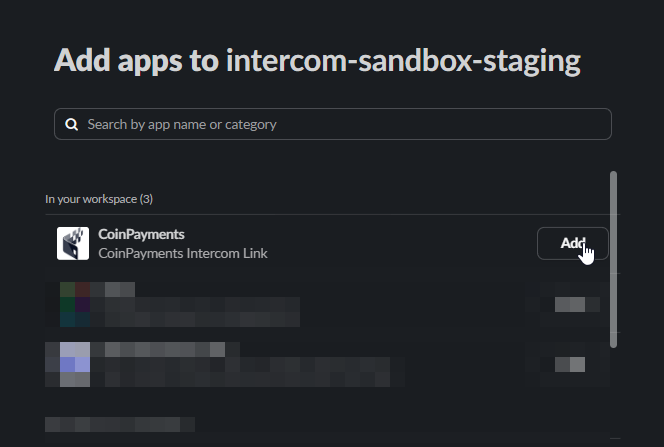
Locate the CoinPayments Support app within Slack and install it.
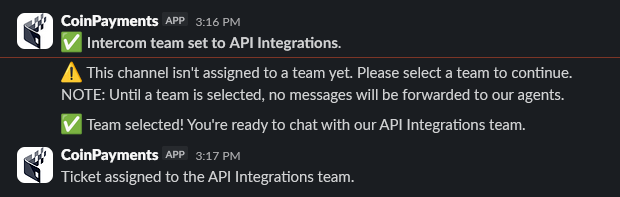
Pick the department you want the conversation routed to. The inbox and department are managed by CoinPayments staff following onboarding.

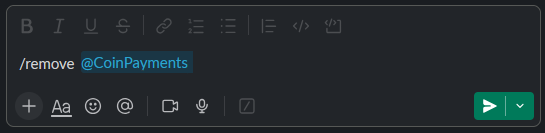
To uninstall, execute /remove @CoinPayments in any channel where the app is installed.

Where to next?
Browse the docs, or jump back to the contact directory.