
Regenerate Integration Secret
Rotate the client secret on a compromised or lost integration.
This invalidates every active session immediately
Regenerating the secret revokes the previous one the instant the reset completes — there is no overlap window. Any system using the old secret will fail authentication until you redeploy with the new value. Coordinate deployment of the new secret across every consumer before you rotate.
Before you rotate
A short checklist- Identify every service that signs requests with this integration's secret.
- Stage the new secret in your secret store (Vault, AWS Secrets Manager, env vars, etc.) so a redeploy can flip atomically.
- Pause any scheduled jobs that depend on this integration if you cannot tolerate a brief 401 spike during cut-over.
- Have the verification code for webhooks ready to redeploy at the same time.
Regenerate the secret
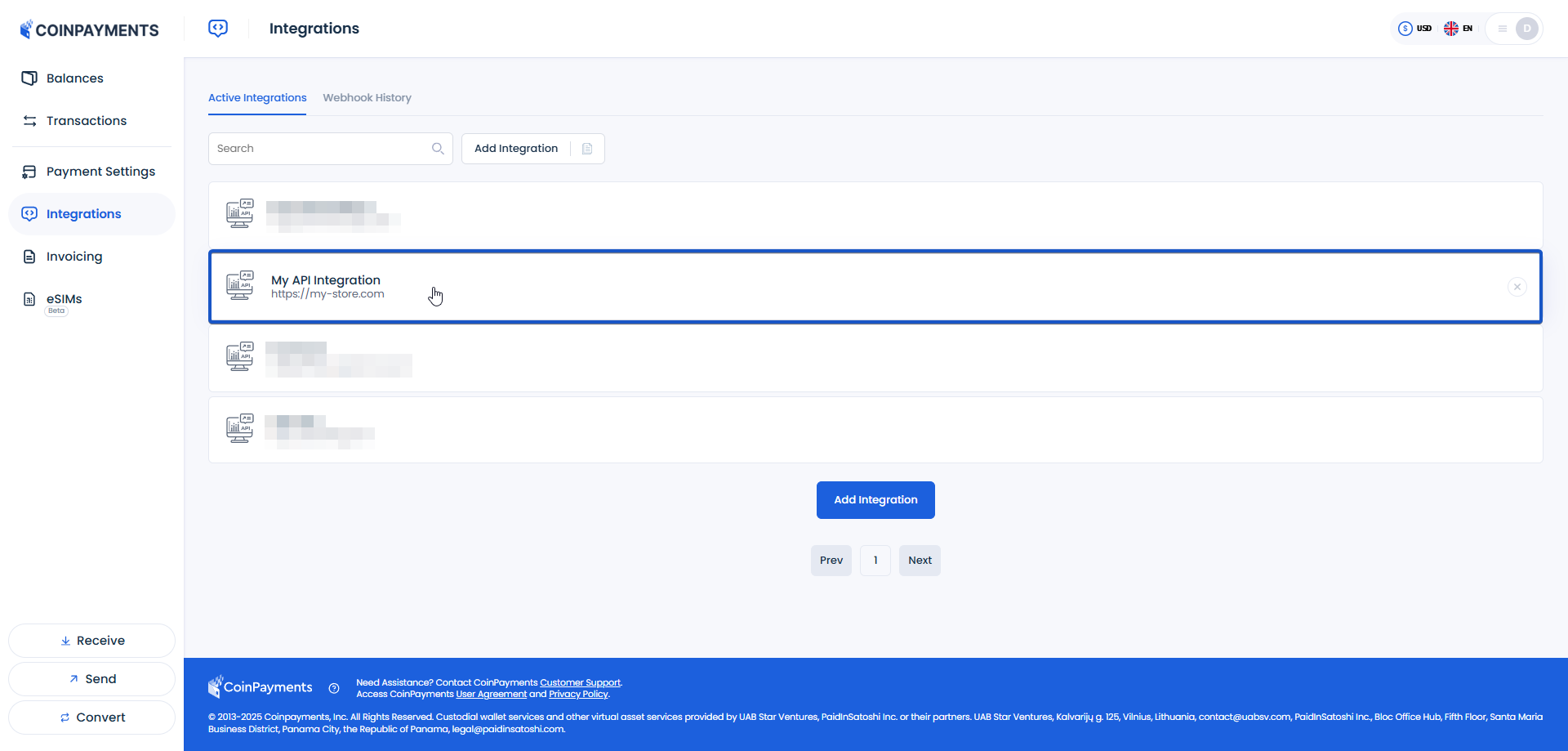
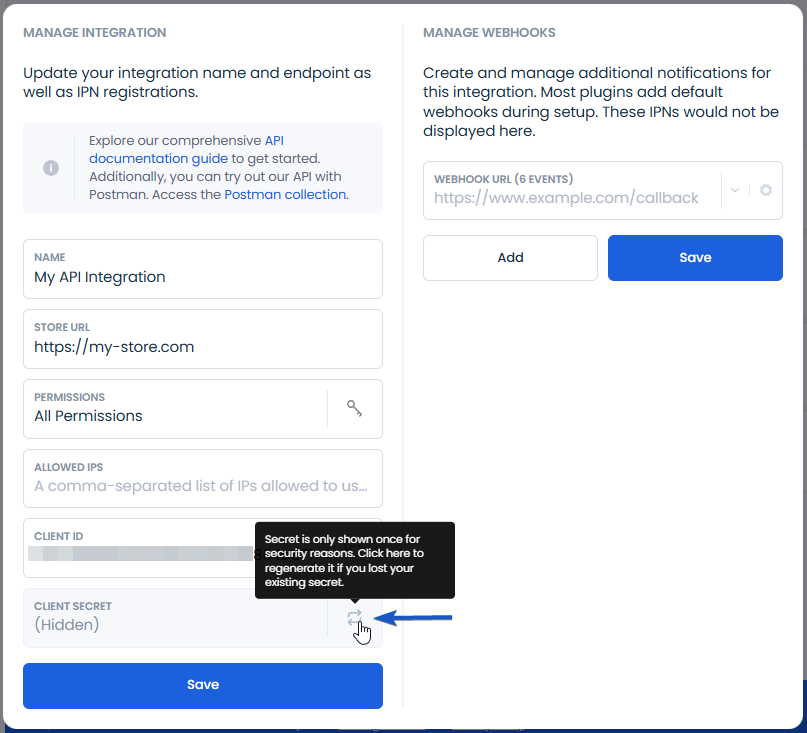
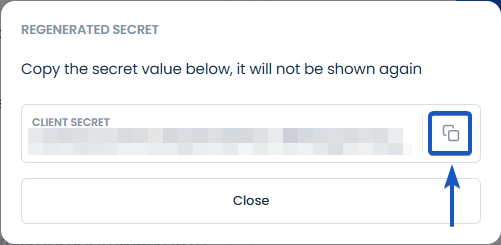
Four-step dashboard procedure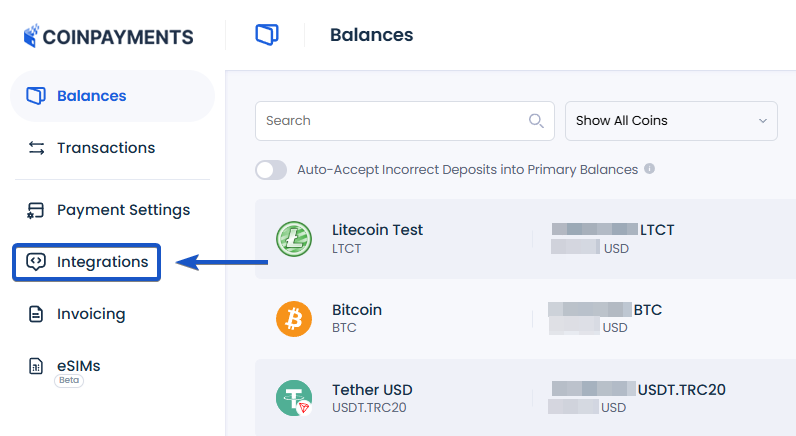
What gets invalidated
The blast radius of a rotation- In-flight API requests
Any request signed with the old secret will be rejected with 401 the moment the new secret is issued.
- Webhook signature verification
Inbound webhooks are still delivered, but your verification code must switch to the new secret — otherwise every callback will fail HMAC comparison. See Authenticating Requests.
Secret shown only once
The new client secret is displayed on the confirmation screen and never shown again. Copy it into your secret store immediately — if you lose it you'll have to regenerate a second time, which means another full rotation cycle.
Secret Security
Never paste a client secret into source control, client-side code, or a shared chat thread — treat it with the same care as a database password.
Where to next?
Pick the most useful next step.